Set it once. Wake up to new videos
Pick your niche, connect your accounts, and set a schedule. Ravenclip takes breaking news from source to post.
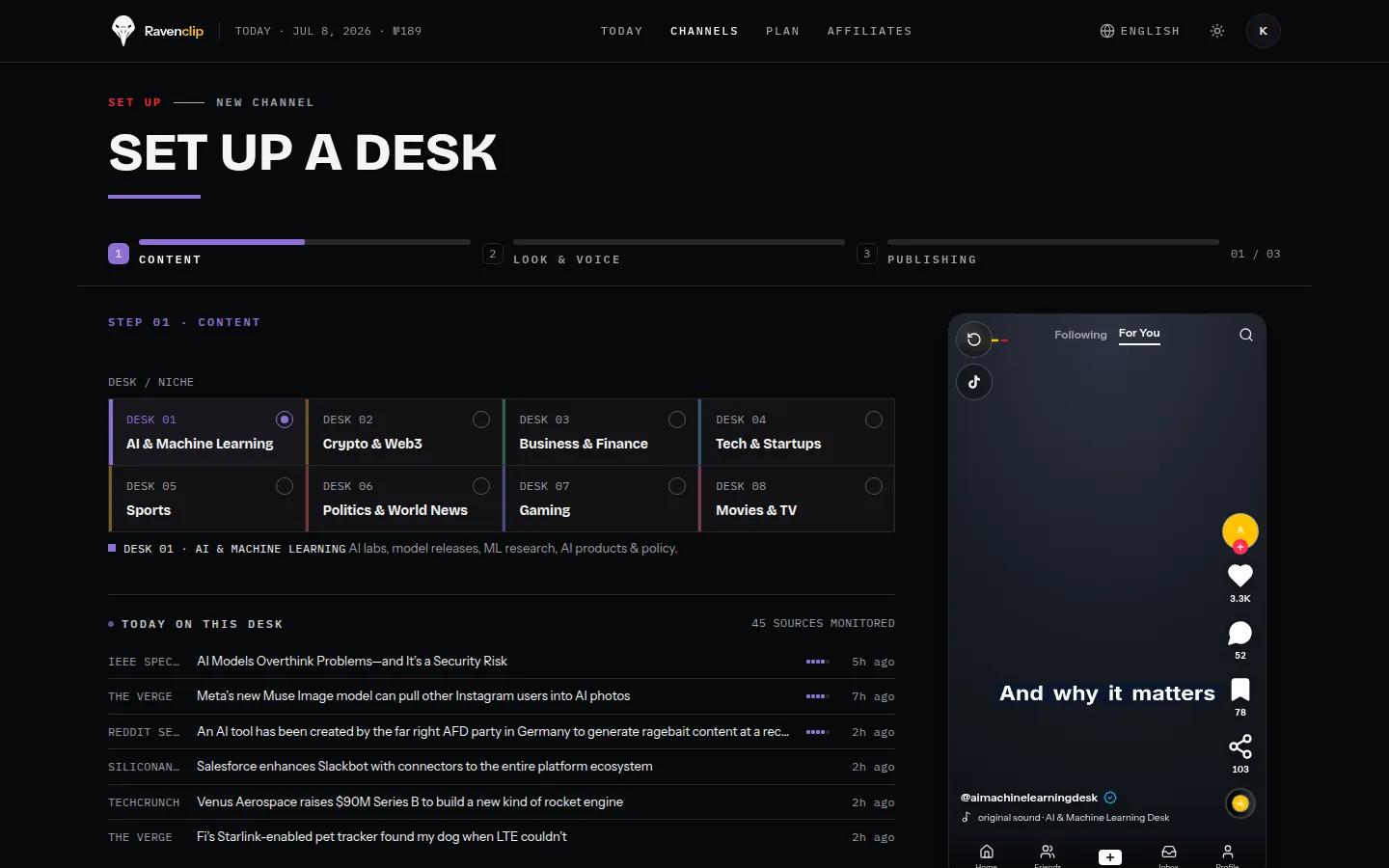
Watch Ravenclip build and post a video
Let it run. Step in only when you want to.
Choose your topic
Pick what you cover, choose a market, and give it a clear identity.

Ravenclip builds the video
It picks a timely story, writes a fresh angle, adds the voice, and builds the visuals and captions.

Publish automatically
Send videos to your connected platforms on schedule. Eligible plans can also react to breaking news.
It keeps posting without a daily to-do list.
Before you set it up
What happens between the story and the post?
Six stages, all automatic. Ravenclip finds a timely story in your topic, writes a script with its own angle, records the narration with an AI voice, builds the visuals, times the captions to the voice, and renders a vertical video. Then it posts on your schedule or waits for your approval, whichever you chose.
Where do the stories come from?
From the feeds of real outlets that cover your topic, market and keywords. Ravenclip ranks what is fresh and relevant, keeps the source behind every story, and writes an original angle instead of reading the article aloud.
How long does setup take?
A few minutes. Choose the topic and market, add keywords for a tighter focus, pick a look and a voice, set the posting schedule, and connect TikTok, YouTube or Instagram. There is nothing to film and nothing to record.
Do I have to approve every video?
Only if you want to. Hold every video until you approve it, set a review window that posts when time runs out, or let Ravenclip publish without waiting. You can change the mode at any time.
What can I change before a video posts?
Everything you see. Swap the story, rewrite any line of narration, and replace a scene with stock footage, your own upload or a new AI image you describe in plain English. Real logos, flags and portraits stay in the frames that need them.
Which platforms and languages does it support?
Videos publish to TikTok, YouTube Shorts and Instagram Reels. A channel runs in English, French, Spanish, German or Dutch, with news from the country you choose, and the narration and captions follow the same language.
What does breaking-news mode do?
On the Studio and Scale plans, Ravenclip watches your topic between scheduled posts. When a major story breaks, it starts the video right away instead of waiting for the next slot, so your channel is early rather than late.
What do I need to provide?
A topic and the accounts you want to post to. Ravenclip handles the stories, scripts, voice, visuals, captions and publishing. On a paid plan you can also add your logo, your colours and a closing line in your voice, plus a link under every post.
Turn the next breaking story into views
Start now. Ravenclip creates and posts before attention moves on.