Faceless.video review: is it the right tool for your channel?
Faceless.video promises a faceless account in one click, with AI agents drafting and posting videos on a schedule. The real question is what each usable video costs you in credits and checking time. Here is what to look at before paying.

We make Ravenclip, which competes with Faceless.video. This review uses Faceless.video's own pages and public user reviews, linked throughout, so you can check every claim.
Running a channel without being on camera still takes work: finding a story, writing it, finding pictures, editing and posting. Faceless.video's pitch is that AI agents do that work for you, every day.
That is a useful promise if the videos come out ready to post. It is an expensive one if you spend your evenings fixing drafts or waiting for renders.
About this review: we make Ravenclip. This assessment uses Faceless.video's public website, pricing page and customer reviews, all checked on 25 September 2026. It is not a hands-on benchmark of video quality or support.
The short verdict
Faceless.video is worth a trial if you want to run a story-style channel on autopilot. Its homepage shows the formats it is built for: historical scenes, horror, "POV" clips, gaming footage and similar evergreen stories. You choose a niche, the agents draft videos on a schedule, and you either edit each draft or let it post as is.
It also advertises AI avatars for businesses, with examples for shops, physical products, e-commerce and e-books.
Before you commit, find out how many credits a finished video in your format costs. The plan price alone does not tell you how many videos you get.
What the pricing page tells you
These are the dollar prices on the pricing page on 25 September 2026. Check the currency and billing period at checkout.
| Plan | Monthly | Annual (per month) | Credits a month | Also included |
|---|---|---|---|---|
| Starter | $20 | $14 ($168 a year) | 30 | All video types, 1 social account |
| Daily | $35 | $25 ($300 a year) | 60 | Unlimited social accounts, priority render queue |
| Double | $59 | $41 ($492 a year) | 120 | Unlimited social accounts, priority render queue |
| Studio | $149 | Monthly only | 350 | Everything above, plus dedicated support |
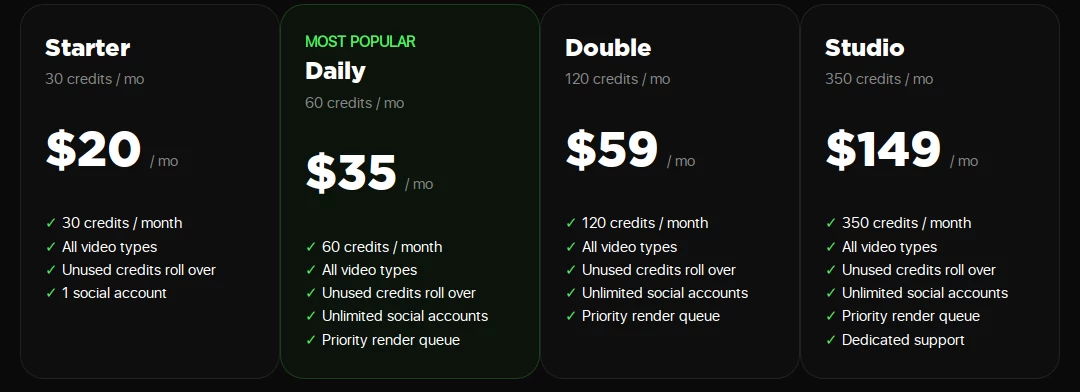
Extra credits are sold in packs: 10 for $8, 50 for $35 and 200 for $120.
Three details on the page matter for your budget:
- Credits per video vary. Different video types cost different amounts. For videos made of scenes, each scene costs the same as the first, and the total is shown before you confirm.
- Unused credits roll over while you subscribe, and stay usable for 90 days after you cancel.
- Automations pause at zero. If your balance runs out, scheduled videos stop until you buy a top-up or your next refill arrives.
So a plan's credit count is not a video count. Generate one video in the format you actually want and note the credit total shown before you confirm. Divide your plan's credits by that number to see how many videos a month you can expect.
What customer reviews can tell you
On 25 September 2026, Trustpilot showed a TrustScore of 3.3 from 27 reviews, 21 of them from the last 12 months.
The reviews split sharply by date. Most reviews from August and September 2026 give five stars and praise quick, helpful support and an easy setup. Earlier reviews, from mid-2025 to May 2026, are mostly one star. They describe videos stuck in processing, trouble connecting accounts, difficulty cancelling and refund requests that went unanswered.
We cannot tell from the outside whether the service has improved or whether recent reviewers are simply happier. Treat the complaints as a list of things to test in your own trial. Twenty-seven reviews is also a small sample for a service that says it is trusted by 2.5 million creators.
Try one real video before subscribing
Pick the niche and format you would actually publish. A homepage example cannot tell you how the tool handles your topic.
- Check the credit cost first. Before confirming a video, note the credit total it shows. Try your usual length and number of scenes.
- Watch the whole draft. Check spelling in the captions, strange details in the pictures and whether the story repeats one you already posted.
- Edit it the way you normally would. Time how long it takes to get a draft you are happy to post.
- Test posting. Connect the account you plan to use and confirm the video appears where and when you expect.
- Read the billing terms. Check renewal, how to cancel, and what happens to your credits. Ask support anything unclear and note how long the answer takes.
That gives you the comparison that matters: credits, money and checking time per video you would actually post.
Faceless.video and Ravenclip: which workflow suits you?
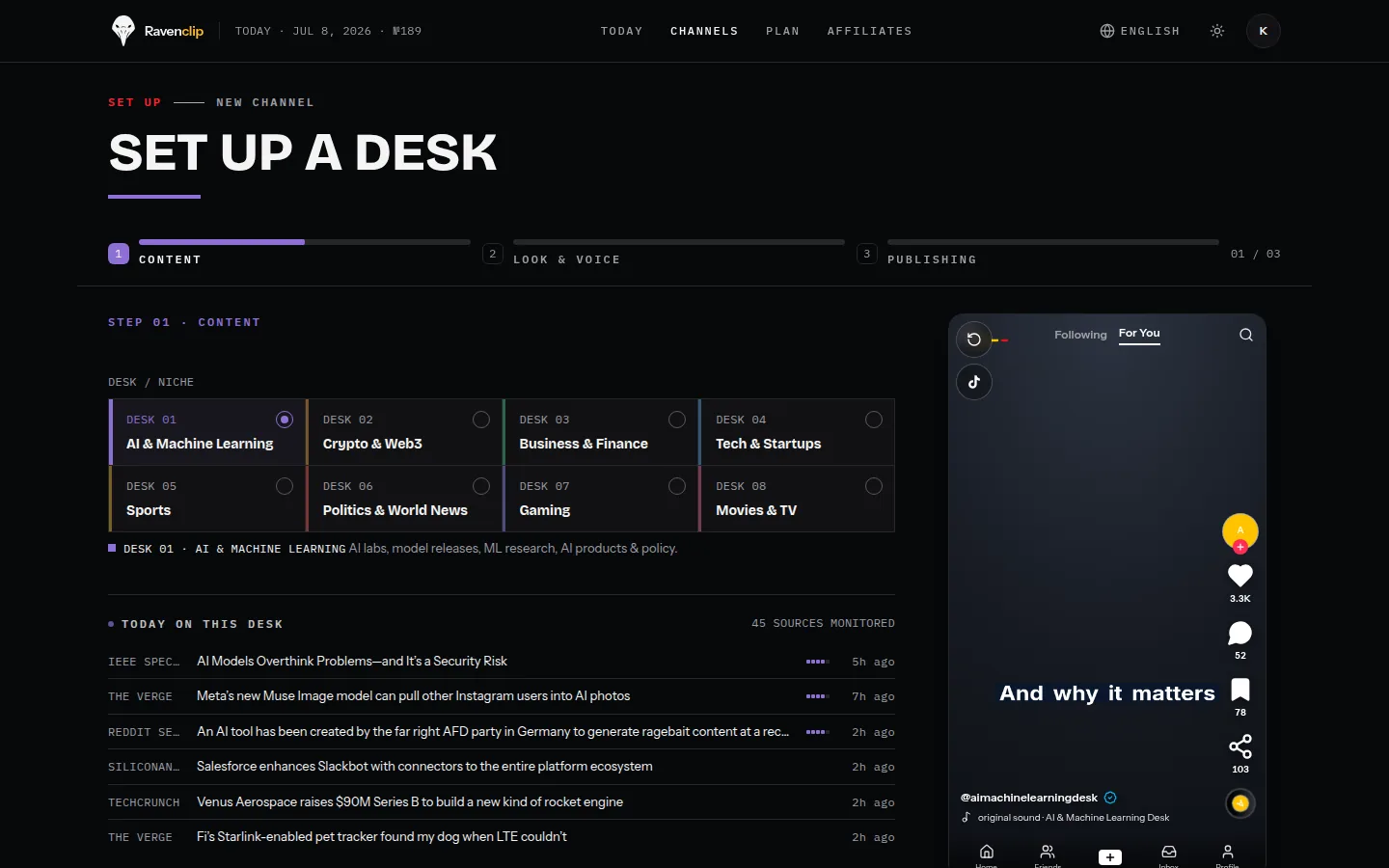
Faceless.video is built around evergreen story channels and prices by credits. Ravenclip is built around news: you choose a field, country and keywords, and it finds current stories, writes and voices the video, and posts on the days you choose. Each plan includes a fixed number of videos a month instead of credits.
| Your main need | What to consider |
|---|---|
| An evergreen story channel (history, horror, POV, gaming) | Test Faceless.video with your niche |
| Try many formats and pay only for what you generate | Faceless.video's credits and top-ups |
| Short videos on the current news in your field | Explore Ravenclip's news workflow |
| A predictable number of videos each month | Compare credits per video with Ravenclip's monthly video allowance |
For Ravenclip's current plans, see pricing. For a side-by-side comparison, see Ravenclip vs Faceless.video.
Is Faceless.video worth it for you?
If your trial video comes out close to ready and the credit cost fits your posting schedule, it can save you real time. If you keep regenerating scenes or waiting on renders, count that time and those credits in the price.
For a story channel, judge it on how much you like the drafts. For a channel about the news in your field, judge any tool on how it finds and checks current stories. Choose around the work you need to do every week.
Faceless.video questions
Can I try Faceless.video for free?
Its website advertises a free trial and a free first video. Check what the trial includes, and how billing starts, before adding a card.
How much does Faceless.video cost?
On 25 September 2026, monthly plans were $20 (30 credits), $35 (60 credits), $59 (120 credits) and $149 (350 credits). Annual billing brings the first three down to $14, $25 and $41 a month. Credits per video depend on the video type and number of scenes.
How many videos do I get per month?
The pricing page does not say, because different video types cost different amounts of credits. Generate one video in your format, note the credit total shown before you confirm, and divide your monthly credits by it.
Can Faceless.video post automatically?
Yes. It says you can schedule automatic drafts, then either edit them before posting or let them go live as they are. Posting pauses if you run out of credits.
Is Faceless.video reliable?
Reviews are mixed. Recent Trustpilot reviews are mostly positive, while older ones report stuck renders and billing problems. We have not tested it ourselves, so run a trial with your own format before relying on it.
When should I consider Ravenclip instead?
Consider it if you want short videos about the current news in your field rather than evergreen stories, or if you prefer a fixed number of videos a month to credits. Whichever you choose, check what goes out under your name.
Keep reading
- OpusClip review: is it the right tool for your videos?
- YouTube Shorts not getting views? What we learned from 14 videos